
Mi-Forms11.2.0 - App Store
You'll be able to see results in few seconds.
Publisher Description
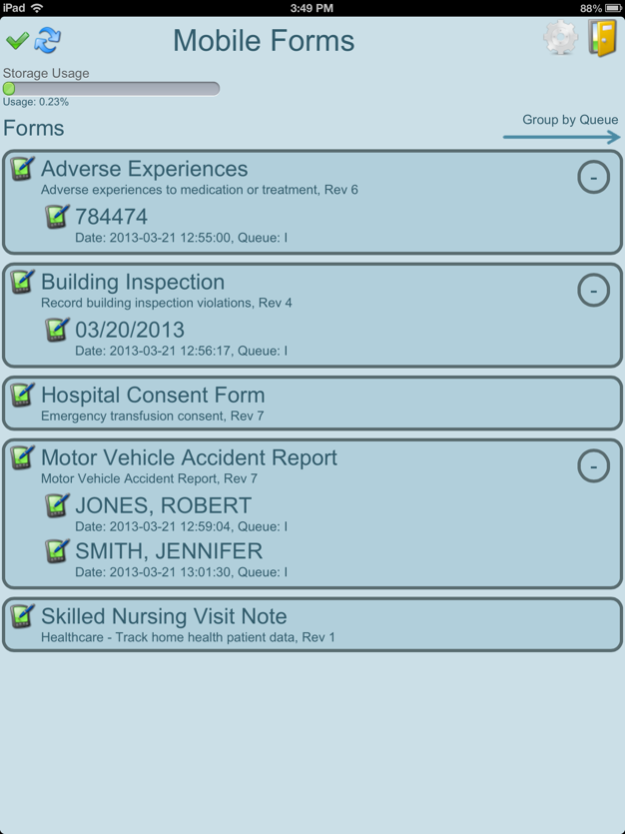
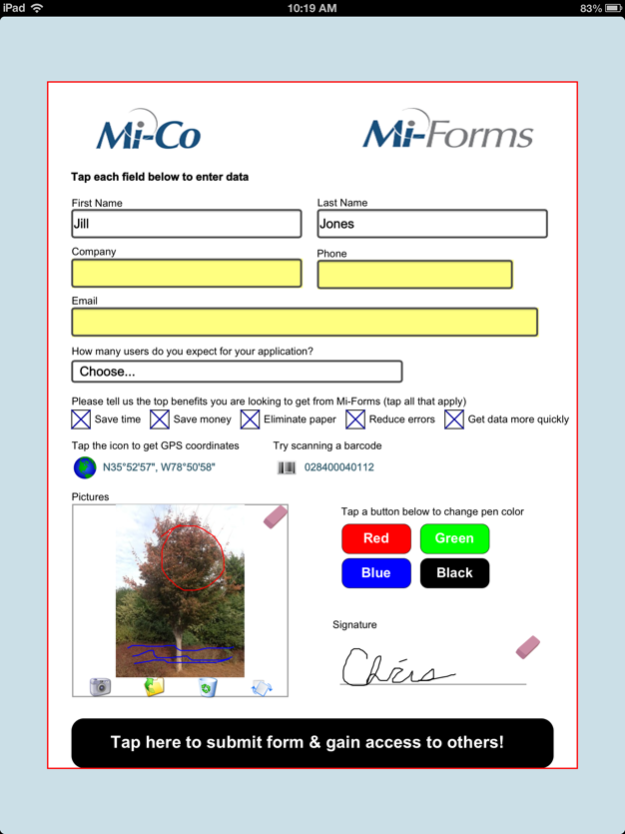
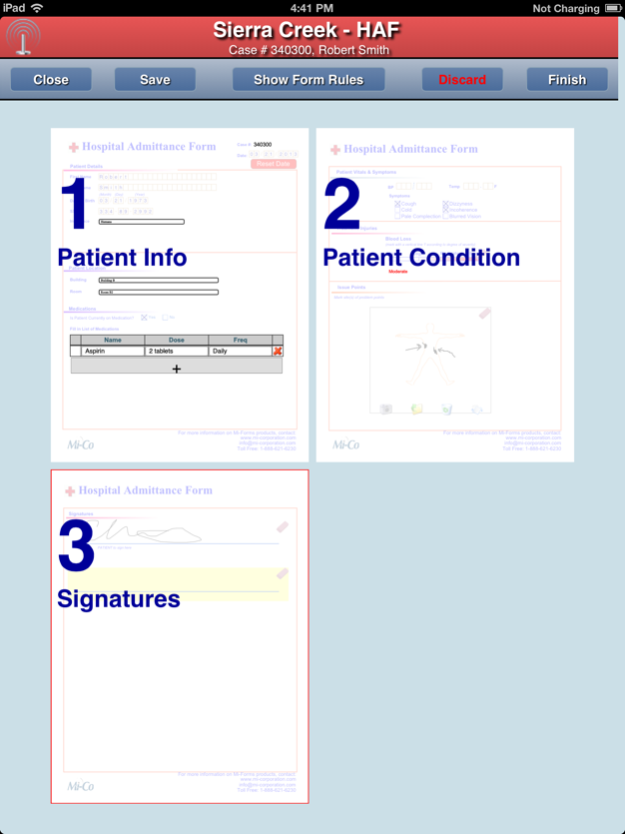
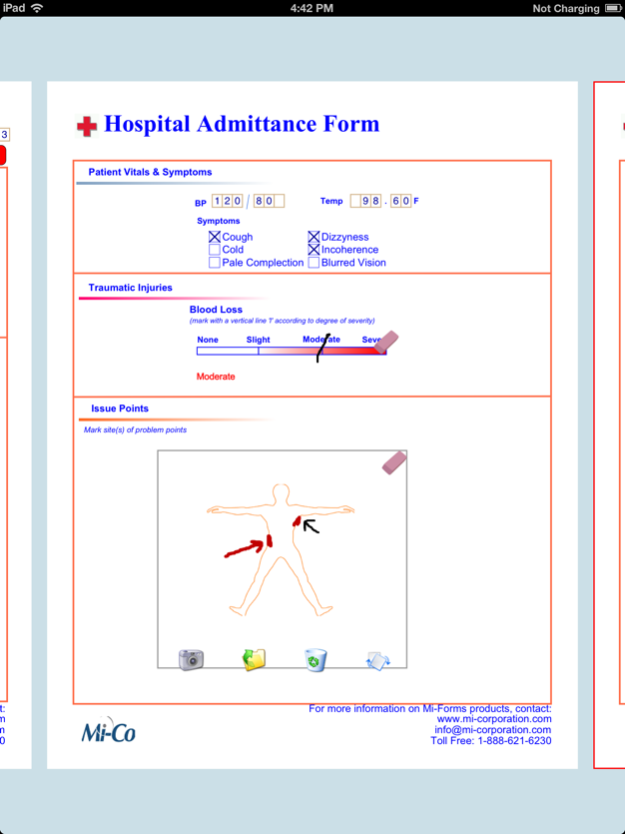
Interested in using the iPhone or iPad for business purposes & to capture data? Struggling with bridging the iPhone or iPad to your back-end Enterprise infrastructure?
Mi-Co’s proven Mi-Forms MEAP technology acts as the bridge between your iPhone or iPads and your enterprise infrastructure, removing the traditional barriers to enterprise-level iPhone or iPad usage for data capture. Knowledge Workers, Healthcare Providers, Inspectors, and Field Service personnel regularly approach Mi-Co to deploy solutions based on mobile devices to efficiently collect data electronically on-the-go. Mi-Co has helped enterprises such as the IRS, USDA, Sutter Health and more, to implement mobile data collection solutions on a variety of mobile devices including iPhones, iPads, Tablet PCs, Digital Pens, Notebooks and Smartphones.
Mi-Forms enables the deployment of sleek custom forms that deliver mission-critical data from the iPhone or iPad to traditional back-end Enterprise software. The Mi-Forms iOS solution not only enables enterprise use of the iPhone or iPad but also eliminates significant development costs for IT departments. Mi-Co fully supports enterprise server technologies from Microsoft like Windows Server, SQL Server and SharePoint, as well as various line-of-business applications.
The Mi-Forms iOS solution features:
- Text field customization (dates, masks, validation)
- Checkboxes and drop down lists
- Photo capture
- Inking support for photo annotations and signatures
- Real time form rules
- Online and offline data capture support
- Customizable workflow
- Centralized and flexible exporting to back-end systems
- Reviewable audit trails
- Active Directory Support
Oct 2, 2017
Version 11.2.0
This app has been updated by Apple to display the Apple Watch app icon.
* Improved edit text manipulation
* Added form save on app resign (sleep)
* Fixed issue where modified server session removed after sync
* Support for discard cancelation
About Mi-Forms
The company that develops Mi-Forms is Mi-Co. The latest version released by its developer is 11.2.0.
To install Mi-Forms on your iOS device, just click the green Continue To App button above to start the installation process. The app is listed on our website since 2017-10-02 and was downloaded 0 times. We have already checked if the download link is safe, however for your own protection we recommend that you scan the downloaded app with your antivirus. Your antivirus may detect the Mi-Forms as malware if the download link is broken.
How to install Mi-Forms on your iOS device:
- Click on the Continue To App button on our website. This will redirect you to the App Store.
- Once the Mi-Forms is shown in the iTunes listing of your iOS device, you can start its download and installation. Tap on the GET button to the right of the app to start downloading it.
- If you are not logged-in the iOS appstore app, you'll be prompted for your your Apple ID and/or password.
- After Mi-Forms is downloaded, you'll see an INSTALL button to the right. Tap on it to start the actual installation of the iOS app.
- Once installation is finished you can tap on the OPEN button to start it. Its icon will also be added to your device home screen.
Program Details
System requirements
Download information
Pricing
Version History
version 11.2.0
posted on 2017-10-02
Oct 2, 2017 Version 11.2.0
This app has been updated by Apple to use the latest Apple signing certificate.
* Improved edit text manipulation
* Added form save on app resign (sleep)
* Fixed issue where modified server session removed after sync
* Support for discard cancelation
version 11.2.0
posted on 2017-10-02
2 Oct 2017 Version 11.2.0
* Improved edit text manipulation
* Added form save on app resign (sleep)
* Fixed issue where modified server session removed after sync
* Support for discard cancelation
version 11.2.0
posted on 2017-10-02
Oct 2, 2017 Version 11.2.0
* Improved edit text manipulation
* Added form save on app resign (sleep)
* Fixed issue where modified server session removed after sync
* Support for discard cancelation
version 11.2.0
posted on 2017-10-02
Oct 2, 2017 Version 11.2.0
This app has been updated by Apple to display the Apple Watch app icon.
* Improved edit text manipulation
* Added form save on app resign (sleep)
* Fixed issue where modified server session removed after sync
* Support for discard cancelation
version 10.5.4.3
posted on 2012-05-19
version 11.2.0
posted on 1970-01-01
2017年10月2日 Version 11.2.0
* Improved edit text manipulation
* Added form save on app resign (sleep)
* Fixed issue where modified server session removed after sync
* Support for discard cancelation
version 11.2.0
posted on 1970-01-01
2 окт. 2017 г. Version 11.2.0
* Improved edit text manipulation
* Added form save on app resign (sleep)
* Fixed issue where modified server session removed after sync
* Support for discard cancelation
Disclaimer
Official App Store Link
We do not host Mi-Forms on our servers. We did not scan it for viruses, adware, spyware or other type of malware. This app is hosted by Apple and passed their terms and conditions to be listed there. We recommend caution when installing it.
The App Store link for Mi-Forms is provided to you by apps112.com without any warranties, representations or guarantees of any kind, so access it at your own risk.
If you have questions regarding this particular app contact the publisher directly. For questions about the functionalities of apps112.com contact us.
